Lead generation
Webinar Lead Generation: A Simple Setup for Solo Sellers
Run one small webinar a month and turn signups into real conversations with a short form, smart reminders, and honest follow-up.

Picture a Tuesday night. Your phone is full of DMs, a handful of people said "send me info," and you have no clean way to explain what you do without typing the same paragraph twelve times. Now picture saying it once, live, for 30 minutes, to everyone who raised a hand. That is the whole idea behind webinar lead generation, and you do not need a studio or a team to pull it off.
This guide walks through a setup one person can run: the topic, the registration page, the reminders, and the follow-up that turns a signup into a real conversation.
Why webinars still work for small sellers
A webinar does three jobs at once. It collects contact details, it shows people how you think, and it gives them a reason to show up at a set time. A post scrolls past. A webinar asks for a small commitment, and people who make small commitments are easier to talk to later.
For solo sellers the real win is time. Explaining your product or your opportunity one to one can eat hours every week. Explaining it once to fifteen people, then following up with the ones who care, takes far less.
It also filters. Someone who registers, shows up, and stays to the end has told you something. Someone who registers and never opens a reminder has told you something too. Both are useful.
Keep expectations honest. Small webinars are small. Ten live attendees is a fine night if three of them reply to your follow-up. The goal is conversations, not a packed room.
Pick a topic your audience already searches for
The most common mistake is naming the webinar after your product. "Learn about our skincare line" asks people to sit through a pitch. "How to build a five minute morning routine for sensitive skin" answers a question they already have.
Start with the questions you already hear. Scroll back through your DMs and comments and write down every question that came up more than twice. Those are your topics.
Then check demand. Google Trends lets you compare two phrasings and see which one people actually type. Look at the related queries box too, because it often hands you a better title than the one you started with. You can also type the start of a question into a search bar and read the autocomplete suggestions.
A good webinar topic passes three checks:
- It solves one specific problem, not five.
- It fits in 30 to 40 minutes, including questions.
- It connects naturally to what you sell, so the next step feels obvious instead of tacked on.
Two examples. For an affiliate in the fitness niche: "How to pick a home workout program you will actually finish." For a network marketer talking to prospects: "What a side business really takes each week: hours, tasks, and tools."
Notice the second one is about time and process, not money. That matters. The FTC's business guidance on multi-level marketing is clear that earnings claims, including implied ones, must be truthful and not misleading. A webinar about process keeps you on solid ground and attracts people who want to do the work.
Build a registration page that is easy to finish
This is where most webinars lose people. Someone taps your link from Instagram, sees a long page and a form with eight fields, and backs out. Walk through your page top to bottom with fresh eyes.
The headline. Use your webinar title, written as an outcome. "Build a home workout plan you will stick with" beats "Fitness Webinar" every time.
The date and time line. Put it right under the headline, with the time zone spelled out. If your audience is spread across the country, list two time zones. Confusion about the hour is one of the dumbest ways to lose an attendee.
Three bullets on what they will learn. Three, not ten. Make each one concrete: "the one question to ask before buying any program," not "valuable insights."
The form. First name and email. For most sellers, that is it. If you plan to send text reminders, add a phone field, mark it optional, and include a clear consent checkbox. The Nielsen Norman Group's form usability recommendations make the case well: every extra field is one more reason to quit, so cut anything you will not use this week. Keep labels above the fields and visible at all times, which also matches the W3C's accessible forms tutorial.
The button. Say what happens. "Save my seat" works better than "Submit" because it describes the result, not the action.
The thank-you page. Do not waste it. Give an add-to-calendar link, tell them to watch for an email from you by name, and ask one question: "What is the biggest thing you want answered on the call?" The answers shape your content and give you a reason to reply personally before the event even starts.
Test the whole flow on your phone before you share it. Fill out the form yourself. Check that the confirmation email arrives and does not land in spam.
Reminders that raise attendance
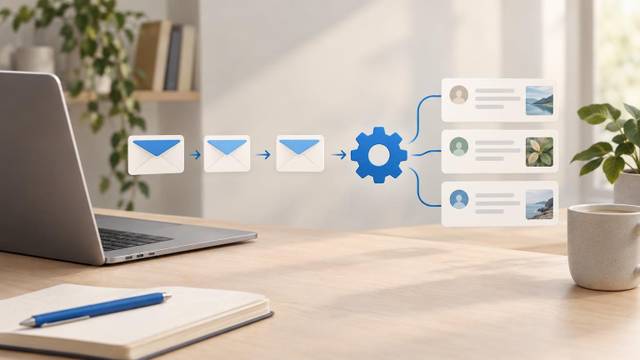
People register with good intentions, and then life happens. Reminders are the bridge between "I signed up" and "I showed up." A simple schedule:
- Right after signup: confirmation with the date, time, join link, and calendar link.
- The day before: a short note with one teaser. "Tomorrow I will show you the exact checklist I use before every launch." Give them a reason to come beyond obligation.
- One hour before: the join link, front and center. Nothing else.
- At start time: "We are live" with the link. This catches people who meant to come and lost track of the clock.
If you collected phone numbers with permission, send the one hour and live reminders by text as well. Your audience lives on their phone, so meet them there.
Keep every reminder short enough to read in a few seconds. Make sure your emails follow the basics in the FTC's CAN-SPAM compliance guide: honest subject lines, a valid physical address, and a working way to opt out. For text messages, only text people who clearly agreed to it.
What to do with attendees and no-shows
When the webinar ends, you have two lists, and they need different messages. Tag them while it is fresh, ideally the same night.
Attendees watched you teach. They know your voice. Split them further if you can:
- Stayed to the end or asked a question: your warmest leads. Reach out personally within a day.
- Left early: still interested enough to show up. Send the replay with a note pointing to the part they missed.
No-shows registered but could not make it. That is not rejection. Plenty of them still want the content. Send the replay within a few hours with a plain subject line like "Here is the recording you signed up for." Give the replay a short window, say 48 to 72 hours, so it does not sink to the bottom of their to-do list forever. Be truthful about it: if you say the replay comes down, take it down.
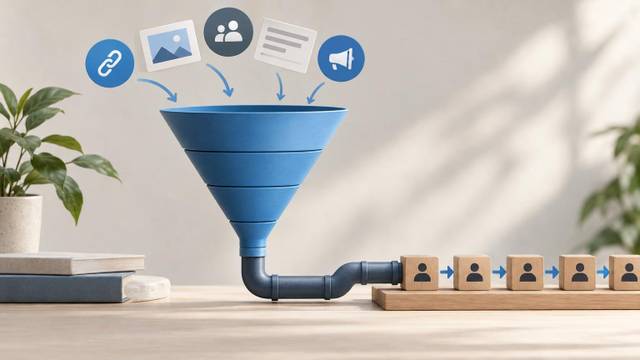
Move every registrant into your pipeline with a stage that reflects what they did: registered, attended, stayed to the end, asked a question, watched the replay. Now your follow-up runs on behavior, not guesswork. If you are fitting this into a bigger system, the guide on building a funnel that feeds your pipeline shows how webinar signups sit alongside your other lead sources.
Follow-up that starts a conversation
This is where webinar lead generation actually pays off, and where most people stop too early. One "thanks for coming" email is not follow-up.
The aim of every message is a reply, not a click. Ask questions people can answer in one line from their phone.
A simple sequence for attendees:
- Day 1: Thank them, share the replay and any resource you promised, and ask: "What was the most useful part for you?"
- Day 3: Go deeper on one question that came up live. End with: "Does this match what you are dealing with?"
- Day 6: Offer a next step that fits the topic, like a 15-minute call, a sample, or a trial. Make it easy to say yes and just as easy to say not now.
- Day 10: A short check-in. "Still working on your morning routine? Happy to help if it is useful."
For no-shows, use the same idea, but lead with the replay and save the first question until they have had time to watch.
When someone replies, stop the automation and talk like a person. That is the whole point of the sequence. Read their answer, respond to it specifically, and only then suggest a next step. The network marketing follow up system article lays out a longer schedule if you want one, and the piece on automating follow-up without sounding automated covers how to write messages that do not read like a template.
One more habit worth building: after each webinar, write down every question that came up live. Next month's topic is usually sitting in that list.
Common questions
How long should a webinar for lead generation be?
About 30 to 45 minutes total, including Q&A, works for most solo sellers. Teach for 20 to 25 minutes, leave room for questions, and end with one clear next step. Shorter sessions are easier to commit to on a weeknight.
Should I run live webinars or use a recording?
Start live. Live sessions let you answer questions, read the room, and learn what your audience cares about. Once a topic is proven, you can offer the recording on demand, but be upfront that it is a replay.
How many fields should a webinar registration page have?
For most sellers, first name and email are enough. Add an optional phone field only if you will send text reminders, with a clear consent checkbox. Every extra field gives people a reason to leave before finishing.
The bottom line
Webinar lead generation does not need to be complicated. Pick one problem your audience already asks about. Build a short page with a two-field form. Send four reminders. Split attendees from no-shows, and follow up with questions that invite a reply. Run it once a month, pay attention to what people ask, and the next topics start writing themselves.
If you would rather keep the registration page, reminders, replay, and pipeline in one place instead of five separate apps, Prala puts webinars, forms, and follow-up together, and you can see what is included on the pricing page.